Performance Management That Captures
The Full Year.
Most platforms make reviews harder. Upward365 makes them faster, fairer, and grounded in year-round context; connecting reviews to the work that happens every day.
The Real Problem
With Performance Reviews
Managers write from memory. They forget Q1 wins by the time December arrives. They overweight recent events and underweight consistent contributions. Employees feel blindsided by feedback they never heard before. HR chases incomplete forms while executives wonder if reviews actually improve performance.
The problem isn't that reviews exist; they are super important. The problem is that reviews happen in a vacuum—disconnected from the daily work, feedback, and progress that tell the real story.
You need a system that captures context year-round so reviews reflect reality, not recency bias.
How Upward365 Works: Three Connected Layers
Capture Context Every Day
Build Reviews That
Fit Your Organization
Execute Reviews With Full Context

Year-Round Notes
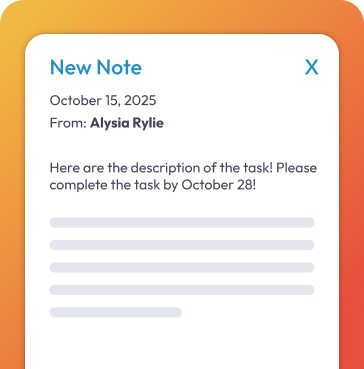
Managers capture private, time-stamped notes on employees throughout the year. Coaching moments, wins, and issues get documented when they happen, not reconstructed from memory months later.
Always-On Recognition
Uplifts are lightweight kudos that anyone can give. Public or private. Peer-to-peer or manager-to-employee. Every Uplift attaches permanently to the employee's profile and becomes part of their year-round context.
Goal Progress
Employees update progress on quantitative and qualitative goals. Progress bars show where they stand. Managers see contributions in real time, not just at year-end.
Meeting Notes
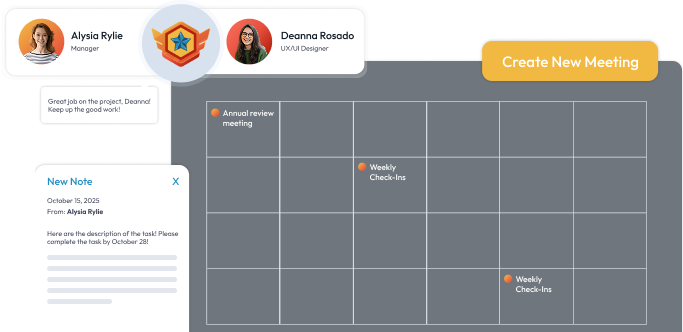
Meeting Builder creates shared agendas for one-on-ones and team check-ins. Action items, discussions, and follow-ups stay organized between formal review cycles.
Role-Specific Templates
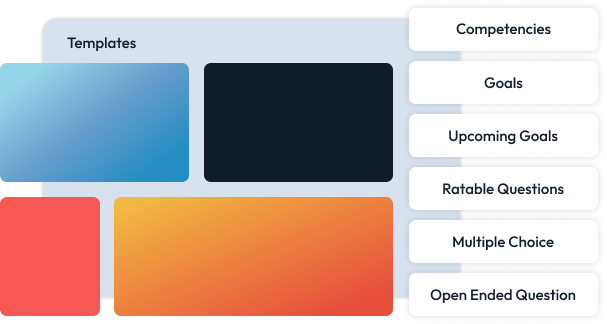
Dynamically generated templates serve your entire company because competencies load automatically based on department, job title, or team. Marketing managers see marketing competencies. Engineers see engineering competencies. HR builds once, and everyone gets relevant reviews.
Flexible Review Flows
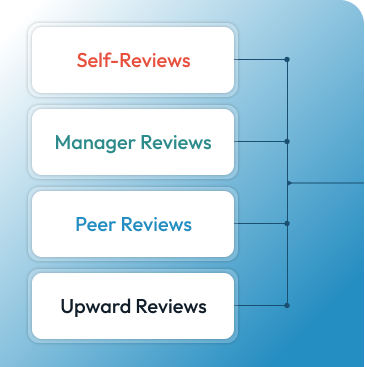
Self, manager, peer, upward, and external raters. Choose which rater types contribute to each section. Employees can nominate peers. Managers or HR control flow order. External collaborators get task-only access without full system exposure.
Weighted Scoring
Section weightings drive a single overall score. Within sections, require comments per item, not just numeric ratings, so reviews include qualitative context.
Reusable Libraries
Store questions and rating scales (Likert, descriptive, custom) in a library. Reuse across future templates to keep language standardized and prevent copy-paste drift.
Context-Rich Workspace
Managers open a review and see left-side navigation through sections (competencies, goals, narrative) and a right-side overlay showing year-round context: notes they captured, Uplifts the employee earned, progress on goals, feedback from peers.
Multi-Rater Coordination
Self-reviews, manager reviews, peer reviews, and upward reviews happen in sequence or parallel, depending on your flow. Employees nominate peers or HR assigns them. Everyone sees only what they're supposed to see.
Review Cycles
Create cycles by anniversary date or custom date range. Assign to everyone, groups, or individuals. Launch different cycles for different teams if your fiscal calendars don't align.
How Upward365 Works: Three Connected Layers
Capture Context Every Day
Year-Round Notes
Managers capture private, time-stamped notes on employees throughout the year. Coaching moments, wins, and issues get documented when they happen, not reconstructed from memory months later.
Always-On Recognition
Uplifts are lightweight kudos that anyone can give. Public or private. Peer-to-peer or manager-to-employee. Every Uplift attaches permanently to the employee's profile and becomes part of their year-round context.
Goal Progress
Employees update progress on quantitative and qualitative goals. Progress bars show where they stand. Managers see contributions in real time, not just at year-end.
Meeting Notes
Meeting Builder creates shared agendas for one-on-ones and team check-ins. Action items, discussions, and follow-ups stay organized between formal review cycles.
Build Reviews That
Fit Your Organization
Role-Specific Templates
Dynamically generated templates serve your entire company because competencies load automatically based on department, job title, or team. Marketing managers see marketing competencies. Engineers see engineering competencies. HR builds once, and everyone gets relevant reviews.
Flexible Review Flows
Self, manager, peer, upward, and external raters. Choose which rater types contribute to each section. Employees can nominate peers. Managers or HR control flow order. External collaborators get task-only access without full system exposure.
Weighted Scoring
Section weightings drive a single overall score. Within sections, require comments per item, not just numeric ratings, so reviews include qualitative context.
Reusable Libraries
Store questions and rating scales (Likert, descriptive, custom) in a library. Reuse across future templates to keep language standardized and prevent copy-paste drift.
Execute Reviews With Full Context
Context-Rich Workspace
Managers open a review and see left-side navigation through sections (competencies, goals, narrative) and a right-side overlay showing year-round context: notes they captured, Uplifts the employee earned, progress on goals, feedback from peers.
Multi-Rater Coordination
Self-reviews, manager reviews, peer reviews, and upward reviews happen in sequence or parallel, depending on your flow. Employees nominate peers or HR assigns them. Everyone sees only what they're supposed to see.
Review Cycles
Create cycles by anniversary date or custom date range. Assign to everyone, groups, or individuals. Launch different cycles for different teams if your fiscal calendars don't align.
After Reviews
Get Insights That Drive Decisions
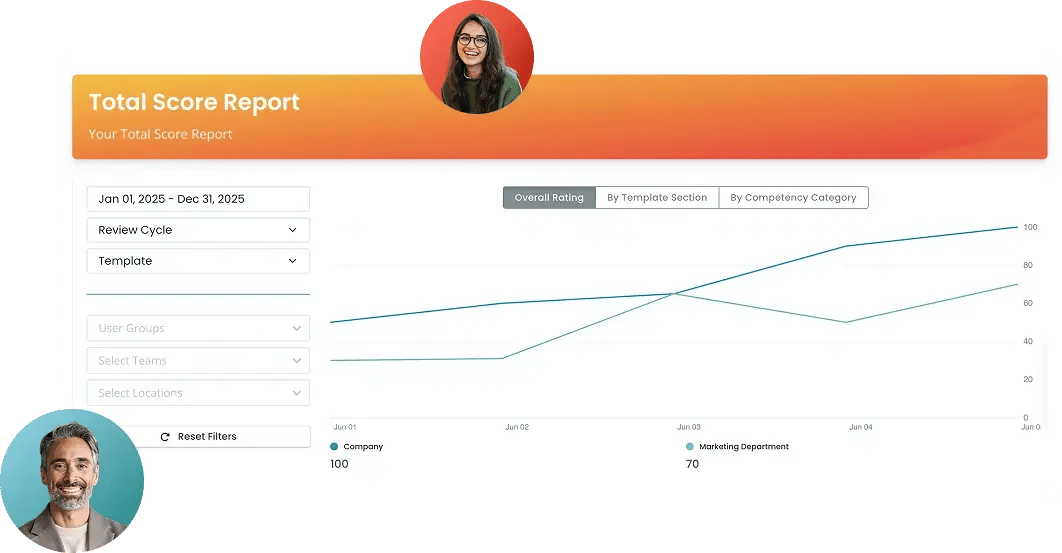
Filterable Reports
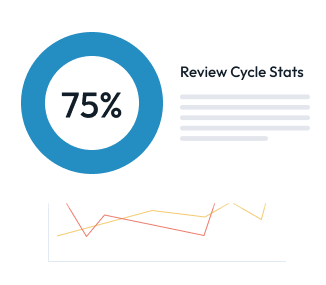
A few powerful report canvases become dozens of views through filters: cycle, template section, competency category, user group. Pin the charts you check weekly to your dashboard.
Audit Log
Time-stamped activity tracking shows who changed what and when. Accountability and faster troubleshooting without opening support tickets.
Goal Roll-Ups
Yes, we're building cascade and roll-up logic so quantitative goals sum upward from individual to team to company. Leaders will see contribution and capacity at every level.
- Import users via CSV (HRIS integrations coming early 2026).
- Create custom user groups: division, department, team, location, or any grouping.
- Build templates with role-specific competencies and weighted sections.
- Assign templates to groups or individuals.
- Launch review cycles by date range or anniversary.
- Track completion. Pull filtered reports. Close cycles.

- Log in to dashboard showing tasks owed and deadlines.
- Capture private notes on employees throughout the year.
- Give Uplifts for good work when it happens.
- Use Meeting Builder for one-on-ones and team check-ins.
- When reviews open, click into workspace with year-round context already visible.
- Rate competencies. Write comments. Submit.

- Log in to dashboard showing what you owe and when.
- Update progress on goals throughout the year.
- Complete self-reviews when cycles open.
- Nominate peers for feedback (if enabled).
- Give Uplifts to recognize teammates.

- Pin KPI snapshots to dashboard for continuous line of sight.
- View goal roll-ups connecting individual output to team and company targets.
- Filter reports by department, competency, or time period.
- Export data for board presentations or comp planning.
Implementation Timeline
Timeline varies based on your organization's complexity
WEEK 1
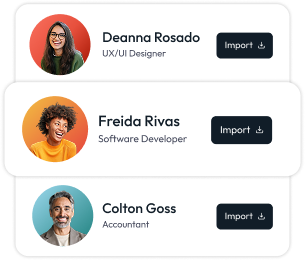
Import users. Create groups. Map your org structure.
WEEK 2
Build templates with role-specific competencies and weighted sections.
WEEK 3
Train managers on capturing context (notes, Uplifts, Meeting Builder). We provide free implementation training via video conference.
WEEK 4
Launch first review cycle.
Implementation Timeline
Timeline varies based on your organization's complexity
What's Coming Next
AI Context Summarization
Planned for Q1. AI will draft narrative summaries from year-round context so managers spend less time writing.
HRIS Integrations
On roadmap for early 2026. Sync user data automatically instead of CSV imports.
Calendar Integration
Under evaluation for Meeting Builder. Auto-add one-on-ones to calendars with shared agendas.
Let's Be Honest - Your Performance Management Sucks
And your employee engagement probably isn't much better
Reality
71% of companies still do annual reviews
- your employees hate them
91% of managers use ChatGPT for reviews
- without any guardrails (terrifying)
Only 31% of employees give a damn
- the rest are just showing up
$1.9 trillion lost annually
- because people are checked out
Reality
Free tools that break when you actually need them
Enterprise platforms that cost $15+/seat and require a computer science degree
"Everything" platforms with 47 features you'll never use
Point solutions that don't talk to each other
Reality
Free tools that break when you actually need them
Enterprise platforms that cost $15+/seat and require a computer science degree
"Everything" platforms with 47 features you'll never use
Point solutions that don't talk to each other
Ready to See it?
Performance management that captures the full year, reduces manager workload, and gives leaders insights that drive decisions. Built by founders with 15+ years in performance management, serving companies with 50 - 2,000 employees.